Published on August 7, 2020
Add auth support to a Next.js app with a custom backend
You can consider Next.js as a full-stack framework because now you can create API routes. If you deploy your into a lambda backed deployment provider, these routes will be lambdas.
But still, there are reasons to use a separate API server. That could be due to many reasons, including:
- You want to have a clear separation between client & server
- You already have a backend
- You want to create your backend using some other language/framework
- You may need to use a database that is not yet optimized for Lambdas (like MongoDB)
Then the question is, how do you communicate between these two. That includes creating a login system that works with both the Next.js app and the API server.
Use Case: GetStarted
I'm using MongoDB for https://getstarted.sh, so I decided to use a separate API server. Also, I like to have a clear separation between the API and UI.
But at the same time, I really like next-auth, which is my favorite auth provider. It's even simpler than setting up Auth0.
So, this is the architecture I come up with:
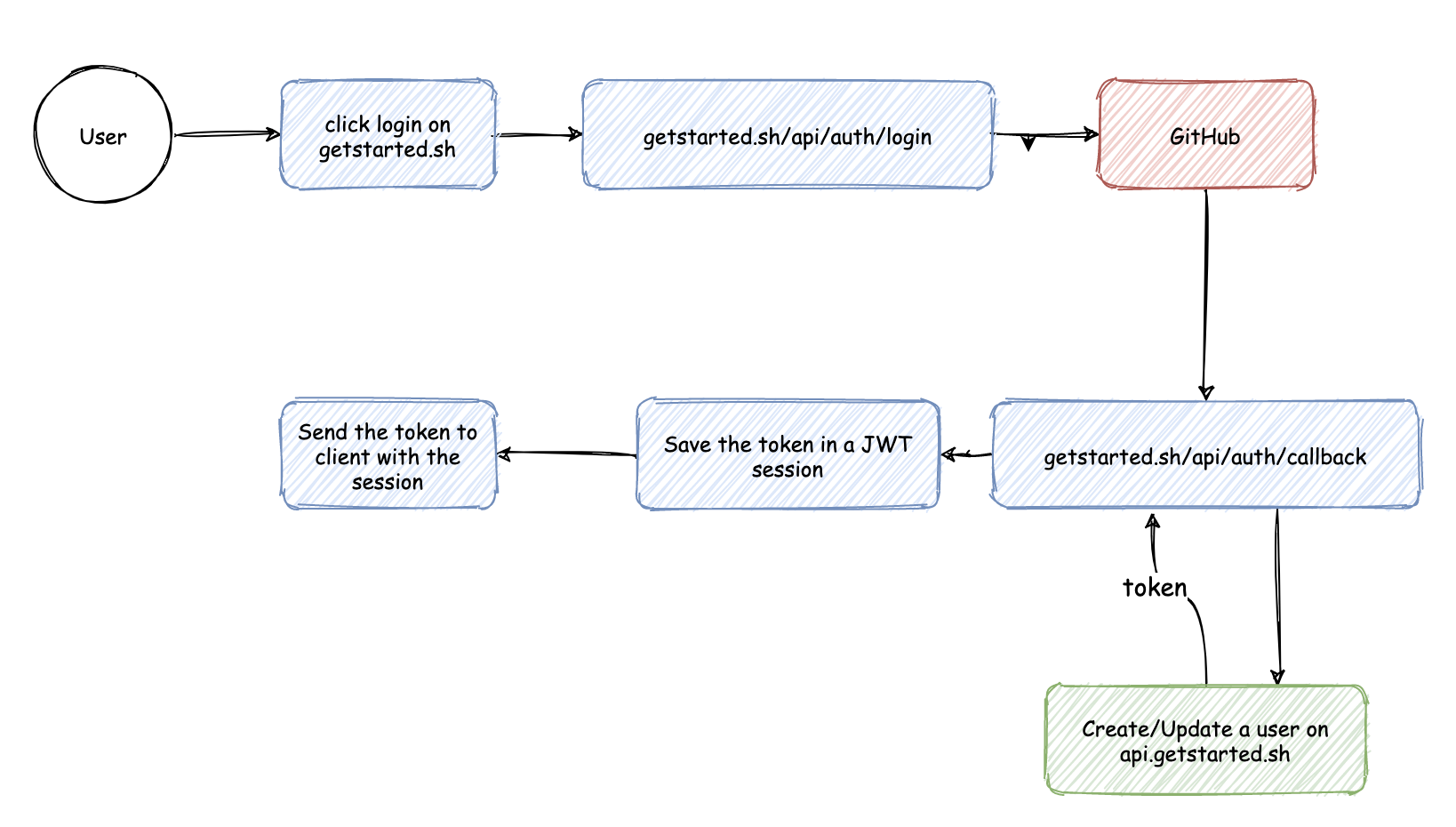
View diagram: https://git.io/JJPbE
After the sign-in process, I have to create(or update) a user inside my api-server and return a token in return. Interestingly, all of the other components are managed by next-auth.
🏆 That's a massive win for me.
Implementation
First, you need to setup next-auth with your app. Trust me; you can do that in 30 minutes. You can follow my step by step guide or follow the instructions on the website.
Then we need to customize the next-auth to create a user after the sign-in process. To do that, you need to change pages/api/[..next-auth].js file with something like this:
Now, you have a token which can talk to your api-server inside the session.token field. You can access this token inside the client-side using useSession hook as mentioned below.
If you like, you can even add the user information to the session object using the session callback:
That's it.
👋 I started writing a set of Next.js auth patterns like this. I will publish at least one such pattern every week.
You can subscribe to my NewsLetter to get them right into your inbox.